Access SPAERC
To log in to SPAERC, you must have an assigned ASTRA role. One of the OSP ASTRA administrators will assign you the appropriate role(s). There are several OSP roles available:
- OSP Administrator is for OSP staff in general.
- OSP Subcontracts is for OSP staff in the subcontracts group.
- OSP System Administrator has special authority and is limited to a small number of OSP staff.
- SPAERC Read-Only is generally for central office staff outside of OSP who need to view applications and related items, and their attachments.
Log on to SPAERC
SPAERC is a web-based application which you access from your browser.
- Go to https://www.washington.edu/research/tools/spaerc/
- Select Sign In
- Enter your UW NetID and password on the UW NetID web login page
When you log on for the first time, you will see the default Application tasklist page with a list of items. See the Establish a Default Tasklist section for information on setting your own default choices.
Session Timeout
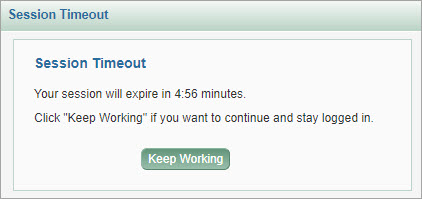
When you are logged in to SPAERC, but have not been actively using the system for 40 minutes, you will see a dialog message indicating that your session will expire in 5:00 minutes. The dialog will continue to count down the time. You have the option to click “Keep Working” to re-activate your session.
If you do not click “Keep Working”, then when the time count reaches zero (0) minutes, your session will expire. Your browser will be redirected to a page containing links to all SAGE Suite application logins.
The following image shows the session timeout dialog, with the time remaining until expiration and the instruction to click “Keep Working” if you want to continue to stay logged in.