Advance Header and Navigation
Advance Header
All advances display a header section across the top of the page. This header remains visible regardless of what part of the advance you are viewing.
The following images show an example advance header for a New advance in Composing status and for an advance in Processed status.


The header contains the following items, reading from left to right:
- A blue arrow, pointing to the left, which is a link back to your Advances list.
- The text “Advance Budget Request” followed by the request’s unique reference number, in parentheses, with the prefix ADV. For example: ADV25111.
- The eGC1 number for the Request Application (eGC1). Clicking on the application number will open a new tab displaying the eGC1.
- The Request Status, the current status of this item
- A more options menu (three vertical dots) which allows you to add a comment or delete the composing request
For a Processed advance, these items may appear:
- The Advance Budget number (if it exists)
- The Award Activity number (if it exists)
- A link to the Associated Cycle (if it exists)
- The Request Status
- A more options menu (three vertical dots) which allows you to add a comment
Navigation Menu
The Navigation Menu lists the sections of your advance. When you select a section, its name will change to bold font and be highlighted with a light blue shading. The following image shows an example of an advance’s left navigation menu, with the General Information section highlighted.
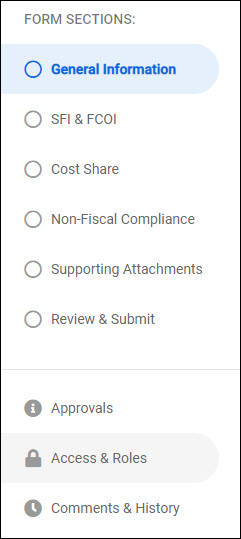
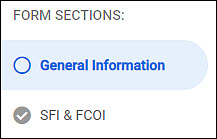
To the left of each section name is a circle. Initially, it will be empty. As you add and review the data in a section, the circle will include a checkmark to indicate when you have completed the section.
In the list of menu links below, click on any section name to view its related article: