Budget List and Create
Budget List
When you log in to SAGE Budget, you will see your budget list. From there you can do the following:
-
- Create a new budget
- View your list of existing budgets (including upgraded legacy budgets)
- Search for an existing budget
If your budget list has no items, a piggy bank image displays with the text “Start your first budget! SAGE Budget helps you glide through the process of preparing accurate budgets that comply with complicated sponsor guidelines.” Use the New Budget button below the piggy bank image to create a budget.
Create a New Budget
To create a budget, select the New Budget button on the upper left. The following image shows the button:
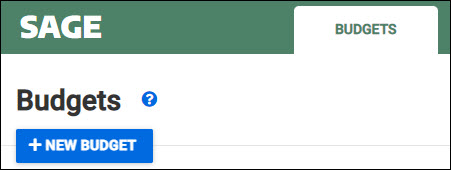
Your new budget will open and display the Budget Settings section for adding periods. Once you add a Budget Start Date, you can begin entering costs or move to any other part of the budget.
View Your List of Existing Budgets
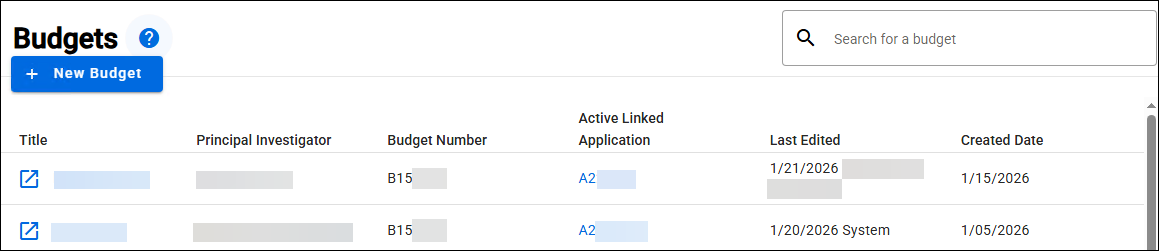
Your budget list includes any budget that you have permission to edit or to view. The following information is displayed for each budget on your list:
- Title – the title of your budget; click on the title to open your budget in the same tab or or select the arrow icon
 to open in a new browser tab.
 - Principal Investigator – the first and last name of the person designated as the PI on the budget’s primary worksheet
- Budget Number – the unique, system-generated number for your budget
- Active Linked Application – the most recently linked application for this budget, if there is one; click the link to open the application in a new tab
- Last Edited – the date this budget was last edited, and the person who did the editing
- Created Date – the date this budget was created
The budgets are in order by the Last Edited date, with the most recently edited one at the top. The following image shows an example budget list.
By default, there are 10 budgets listed on the page. The pagination tool at the bottom right of the list allows you to set the number of budgets shown on the page to 10, 25, or 50. When you change the number per page, the list will re-display from the top.
When you have more budgets than can display on a page, you can click on the arrows to move up or down the list. As you move through the list you will see an indication of where you are. For example, 26-50 of 221 indicates 25 budgets display on a page, and that you are on the second page of a list with a total of 221 budgets. The following image display this example.

Search for an Existing Budget
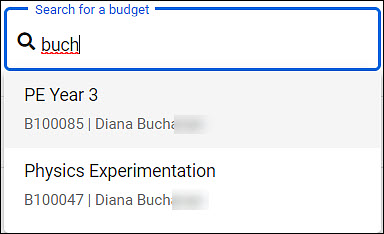
To quickly find a budget, you can use the type-ahead search feature at the top, right of the page.
Click in the box and enter a search term. You can search by budget title, number, or the Principal Investigator’s name. When you pause in typing, a results list will appear. Click on an item in the list to open that budget. Changing the text in the search box will start a new search.
The following image shows a search term and results list.
Note: Upgraded Legacy Budgets
On January 28, 2022, budgets in the legacy format were upgraded to the current format. Review the Automatically Upgraded Legacy Budgets article for complete details.