OSP Initiates Award Setup Request
When OSP receives or retrieves an Award and the PI is not included on the notification, OSP will create an Award Setup Request and route it to campus for completion.
Select the Awards tab, and then select the Create a Request link. It opens a menu with the following choices:
- Award Setup Request
- Modification Request (OSP/GCA)
- Involvement needed from OSP and GCA
- Modification Request (GCA)
- Only GCA needs to review
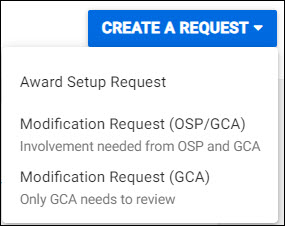
To create an Award Setup Request (ASR):
1. Select Create a Request on either the Awards tab or the Awards Requests task list, and select Award Setup Request.
2. Search for and then select the application associated with the award.
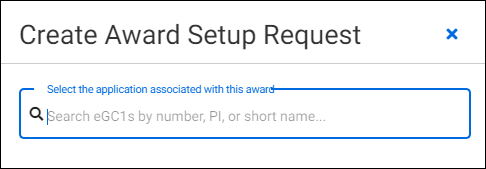
3. The ASR will be created and open to the General Information section.
- Enter the dollar amount in the Sponsor Total for Spending Period field
- Enter the Sponsor Award Number
- Select the Supporting Attachments section
- Attach the award documents
- You may want to include comments regarding items campus needs to complete
- If the request needs to come back to a specific individual, you can make an assignment
- Select the Review & Submit section
- Scroll down to the bottom of the section and select Send to Campus

The ASR status changes to Composing and is no longer editable by OSP, and an email notification is sent to campus.