Attach Applications to Cycles
From within an open application, hover your mouse over the Cycle Details tab. If the application is already in a Cycle, a fly-out menu will appear showing the Cycle number and all items within the Cycle. If there is no cycle, click on the tab to open the Create Cycle window.
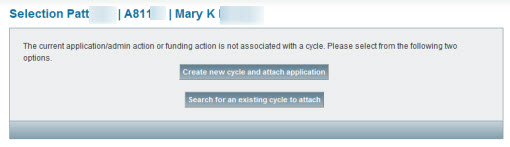
To attach an application to a new cycle
- Click Create new cycle and attach application.
To attach an application to an existing cycle
- Click Search for an existing cycle to attach.
- Enter values for one or more of the search criteria in the Search Cycles screen, and then click Search.
Hint: From the results list, you have the option to open the cycle to verify it is the right one. - On the results list, click Relate for the chosen cycle to attach the application. The search page will refresh to show the Cycle Details for the chosen cycle with the application listed.
Note: If you click Cancel in the Approval dialog after you attach the application to a cycle, the cycle attachment will remain in effect, but the application will not be approved.