February 25, 2026
February 25, 2026 SAGE Suite Release Notes
The following email was sent to the SAGE and MRAM mailing lists on Wednesday, 2/25/26.
The following features were released to SAGE on the evening of February 25. If you have any questions, please reach out to us at sagehelp@uw.edu.
Award Requests List
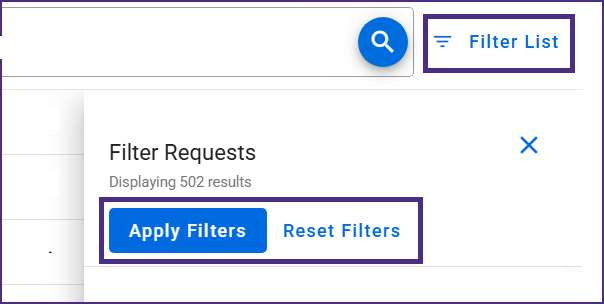
Retain Filters: When navigating between requests in the Award Requests List, filter settings will now be preserved if the user remains in the same browser tab. To clear the filters and see the full list again, re-open the filter panel and select Reset Filters.
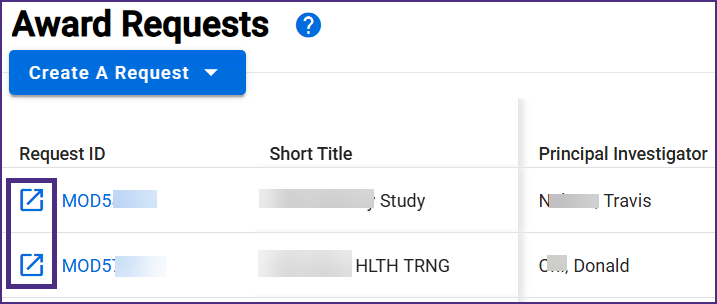
Open Requests in a New Tab: The Award Requests List now includes a selectable icon to open the request in a new tab. Clicking the Request ID also still opens the request in the current tab.
Award Setup Requests
Additional Information Defaults from the eGC1: When creating a new Award Setup Request (ASR), the following information will now auto-populate from the linked eGC1:
- Sponsored Program Activity (SPA) type
- Cost Center Receiving Funding
- Project type (newly added for campus ASRs)
- Clinical trial phase
For OSP’s view of a newly created ASR, the award signature required toggle is set to ON (yes) by default. If the defaulted information is no longer correct at time of award, users are able to edit each of the above values.
SAGE Budget
Budget Snapshot Updates: The following updates are now available:
- Fix: MOD-connected budgets now generate a budget snapshot when the budget is submitted/re-submitted
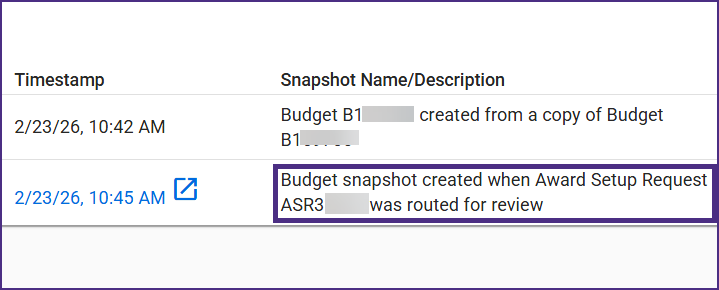
- Budget snapshots now reference the connected ASR or MOD
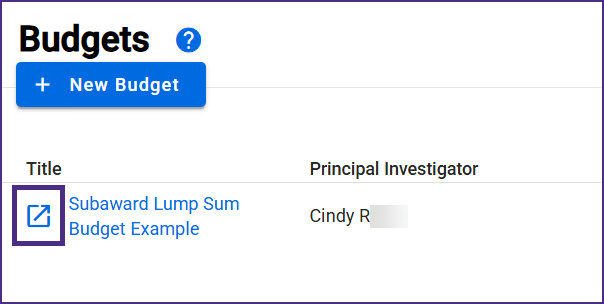
Open Budgets in a New Tab: The Budget tasklist now includes a selectable icon to open the request in a new tab. Clicking the Budget ID also still opens the budget in the current tab.
Miscellaneous Maintenance
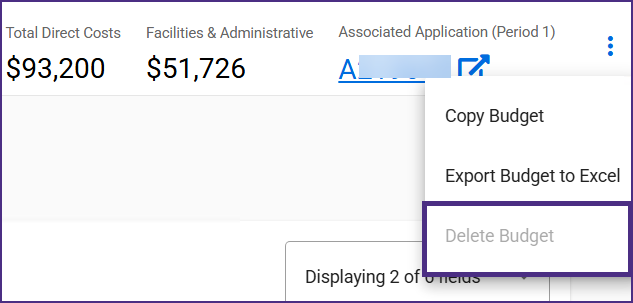
Budget Connection & Deletion Rules: In order to prevent data quality and troubleshooting issues on requests where budgets can be connected, the following rules have been implemented:
- A SAGE budget cannot be deleted if it is connected to a request.
- A SAGE budget cannot be connected to an eGC1 if it is already connected to an award-related request (ASR, MOD).
- A SAGE budget cannot be connected to an award-related request (ASR, MOD) if it is already connected to an eGC1.
- A SAGE budget cannot be connected to multiple requests under different awards.
To prevent deletion in these circumstances, the Delete button on the budget will be non-selectable.
WA National Biomedical Research Center (WaNBRC): The Washington National Biomedical Research Center (formerly Washington National Primate Research Center, WaNPRC) will be listed in SAGE in the following locations:
- In the animal use compliance question (AU-1) when a new protocol is selected for eGC1s or Advances.
- In the eGC1 approval graph as a required approver when WaNBRC is selected in the animal use compliance question.
- In the SAGE Budget F&A location drop-down list, where it applies the same default rates as the former WaNPRC listing.
Updated Documentation
- ASR General Information
- Award Requests List
- Budget Copy & Delete
- Budget List and Create
- Budget & Snapshots History
- Create a New Award Setup Request
If you have any questions or encounter issues, please reach out to sagehelp@uw.edu.