MOD Review & Submit
MOD Review & Submit
Use this read-only section to review your entries in the General Information, Comments & History, and Supporting Attachments sections for accuracy. You can return to those sections in the left navigation menu to fix any errors or omissions.
Review detailed guidance & instructions:
- OSP & GCA MODs: Award Changes
- GCA Only Modifications
- Award Modifications in SAGE job aid
- NIH SNAP: A Detailed Guide for Modifying the Award in SAGE Modifications
Authority & Approval Submission Requirement
The statement in this section affirms your submission information. It reads:
- By submitting this request, you are confirming that you have the authority and approval to submit this modification request on behalf of the PI or the department.
Select Submit & Route to route the OSP/GCA or GCA only MOD for review, approval & processing.

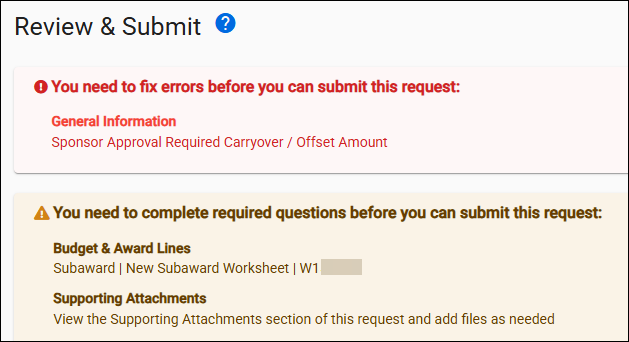
Review and Submit Alerts
The Review and Submit page will display alerts at the top of the page to indicate any section where required data is still missing and which field(s) to complete.
The following image shows an example of the alert message for incomplete sections: