January 21, 2026
January 21, 2026 SAGE Suite Release Notes
The following email was sent to the SAGE and MRAM mailing lists on Wednesday, 1/21/26.
The following features were released to SAGE this evening. If you have any questions, please reach out to us at sagehelp@uw.edu.
Award Modification Request Enhancements
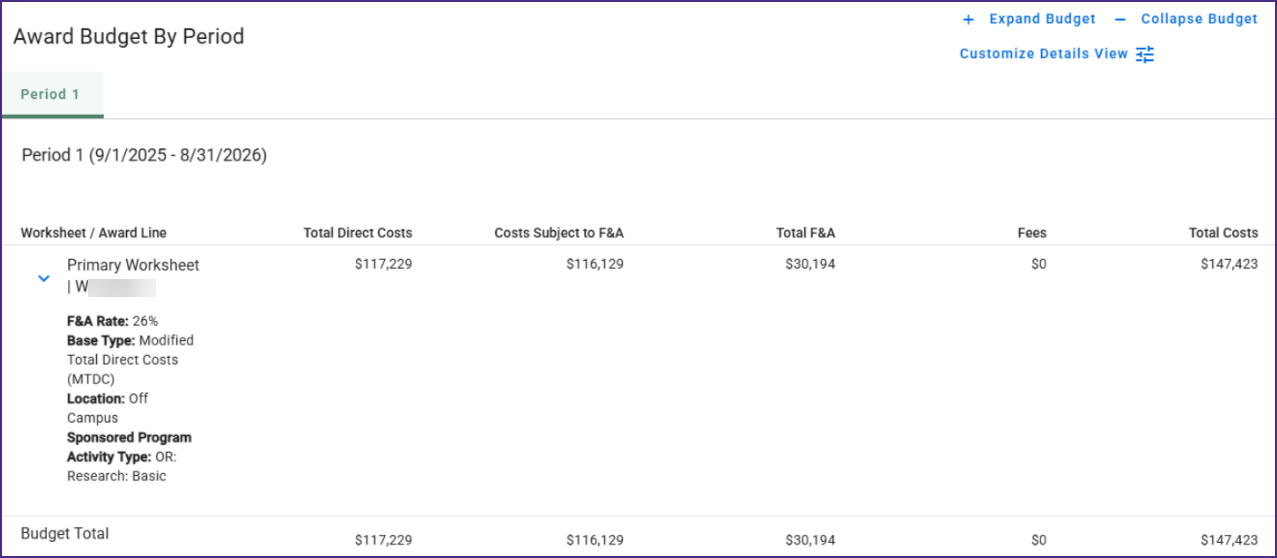
- View Award Line Details: Within Modification Requests (MODs), users will now see a read-only view of award line details and totals. This will aid the review of budget information for the request by campus and GCA. Similar to ASR functionality, this view now includes:
- Details and high-level totals for each worksheet
-
- Object Class and Spend Category totals

Award Requests List
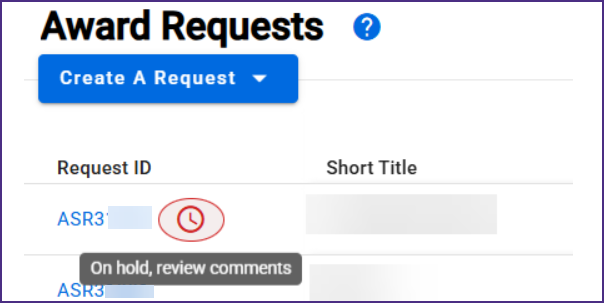
- Holds Indicator Display: When an award-related request (ASR or MOD) has a hold placed on it by either OSP or GCA, an indicator now displays on the Award Requests List. When hovering over the indicator, a prompt encourages review of the item’s comments.
- Resubmissions Indicator Display (OSP & GCA only): When an item in either OSP Assigned or GCA Assigned status has been resubmitted following a return, those units will see a resubmission indicator on their SAGE Central Award Requests List to help aid prioritization of work.
SAGE Documentation Updates
As part of this release, the following SAGE documentation pages were updated:
If you have any questions or encounter issues, please reach out to sagehelp@uw.edu.