Human Subjects Division
Copy Study

Overview
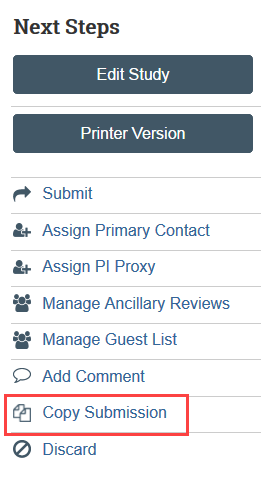
If the study that you are creating is very similar to another study you already have in Zipline, you may be able to save time by copying the original application and then making revisions to the copy. The Principal Investigator, any PI Proxies, and Primary Contact are all able to copy previously created applications. After the study is copied, make any needed edits to the SmartForms and study documents, including using newer versions of forms if applicable.
How to Copy Study
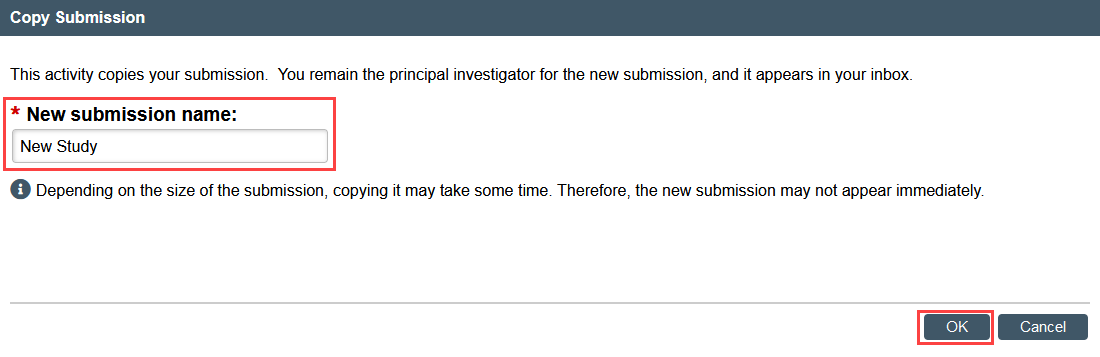
Enter the name for the new application and click OK. This only changes the short title of the study. The full title of the study can be edited on the Basic Information SmartForm in the copied study.
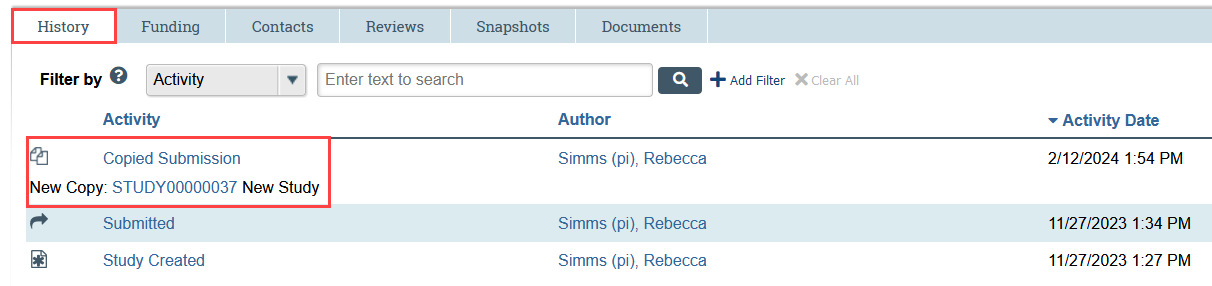
- Once copying is complete, the new study will appear in the History tab of the copied study and in My Inbox.
- Make any needed edits to the SmartForms and study documents, including using newer versions of forms if applicable.