Computer Labs
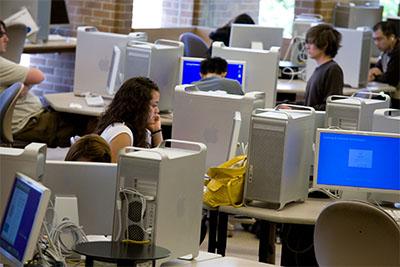
As increasing numbers of people with disabilities engage in educational opportunities that require computer use, the accessibility of computing facilities becomes even more critical. Put simply, computer labs need to be accessible to all users. Students with disabilities need equal access to: (1) building/facilities, (2) lab staff, (3) physical space and printed materials, (4) computers and software, and (5) electronic resources.
Employing principles of universal design when planning services in your facility can facilitate equal access. Universal design means that you design your facility for a broad range of users including students with a wide range of hearing, visual, mobility and learning impairments. While universal design cannot meet the needs of every user, it reduces the need for special accommodations. When the general design does not address specific needs, be sure that lab staff can access needed services and products in a timely manner. In these cases, be sure to include the student as you come up with access solutions.
When developing services in your facility make sure that users are able to:
- get to the facility and maneuver within it
- access materials and electronic resources
- make use of equipment and software
The following general guidelines can help you survey the physical environment of your facility for accessibility.
Building Access
- Parking areas, pathways and entrances need to be wheelchair accessible.
- Doorway openings need to be at least 32 inches wide and doorway thresholds no greater than 1/2 inch.
- Ramps and elevators need to be provided as an alternative to stairs.
- Elevator controls need to be accessible from a sitting position. Auditory and visual signals are needed to indicate floors. Elevator controls need to be marked in large print and with Braille or raised letters.
- Protruding objects need to be removed or minimized to keep pathways safe.
- Wheelchair accessible restrooms should be nearby and well marked.
- High contrast, large-print directional signs should be posted throughout the lab.
Lab Staff
- Staff members should be familiar with the available assistive technology.
- Staff members should be aware of disability issues.
Physical Space and Printed Material
- Large-print, high-contrast signs should be used throughout the lab.
- Accessible computers should be labeled in Braille and large print.
- Aisles need to be kept wide and clear for wheelchair users.
- Provide at least one adjustable workstation so individuals who use wheelchairs and users of various heights and body types can access the computer comfortably. Computer adjustment controls also need to be accessible.
- Document holders should be available to position documentation so it can be easily read.
- Documentation needs to be provided in alternative formats, or available in a timely manner (e.g. Braille, large print, audio and electronic text).
- Printed materials should be within reach from a variety of heights.
- Hearing protectors should be provided for those who are easily distracted by noise in the facility.
Computers and Software
In a computer lab it is desirable to provide options at a computer workstation that address the needs of a variety of users. Computer input, output, and documentation should be accessible for users with disabilities. When the needed accessibility features are not built into commercial products, a variety of assistive technology can be acquired. Adaptive technology includes specialized hardware and software that allow individuals with a wide range of skills to make productive use of computers. For example, students with visual impairments who cannot read screen output may use screen reading software with a speech output system and/or a Braille printer. Individuals who are unable to use their hands or who have poor fine motor control and cannot use a mouse or keyboard may use trackballs, switches or modified keyboards for input.
Electronic Resources
Once computer access barriers are removed, electronic resources such as applications software and Web pages may present access challenges for some people with disabilities. For example, a student who is blind using a computer equipped with screen reader software and a speech synthesizer will not be able to interpret graphics unless text alternatives are provided. A student with hearing impairments may be unable to access audio on a Web page unless text is also available. This problem can be avoided if software and Web page developers employ principles of universal design. As mentioned previously, universal design means that you design your product or information for a broad range of users including individuals with disabilities.
Steps Toward Accessibility
The following recommendations are first steps toward implementing universal design and increasing accessibility for all users in your computer lab. Remember that you do not have to implement all of these suggestions at once. Many of these basic recommendations are low-cost or no-cost solutions. When considering more costly equipment, start small and add to your adaptive technology collection as you receive requests and as computer lab staff gain skills in providing access and services for them.
- Place printed resources so that a wheelchair user can reach them.
- Provide at least one adjustable-height workstation/table for each operating system represented in the lab.
- Provide keyguards and wrist and forearm rests.
- Have a trackball, joystick, or other mouse alternative available.
- Make sure lab signs have high contrast and large print.
- Make lab documents available in accessible electronic formats.
- Large-print keytop labels, screen enlargement software and a large monitor at least 17 inches should be available.
- At lease one extra-large monitor should be available on a computer with text/screen enlargement software.
- Staff should be familiar with the adaptive technology and trained in disability issues.
Related Links
- Equal Access: Universal Design of Computer Labs (video and brochure)
- IT Accessibility: What Campus Leaders Have to Say (video)
- Working Together: Computers and People with Learning Disabilities (video and brochure)
- Working Together: Computers and People with Mobility Impairments (video and brochure)
- Working Together: Computers and People with Sensory Impairments (video and brochure)
- Working Together: People with Disabilities and Computer Technology (video and brochure)
Acknowledgment
The content of this web page was developed from Burgstahler, S. (2012). Equal Access: Universal Design of Computer Labs. Seattle: University of Washington.
More Information
Explore DO-IT Publications, Knowledge Base articles, and websites on this topic at Accommodation Resources: Computer Labs. To learn about accommodations for a specific disability, select from the list below.