Universal Design in Education: Principles and Applications

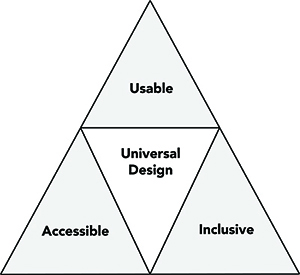
While physical spaces, courses, technology, and student services are often designed for the average student, the practice of universal design in education (UDE) considers people diverse characteristics in the design of all formal and informal educational products and environments. UDE goes beyond accessible design for people with disabilities to make all aspects of the educational experience more inclusive for students, staff, instructors, administrators, and visitors with a great variety of characteristics, including those related to gender, race and ethnicity, age, stature, disability, and learning preference.
Though universal design has its roots in the design field of architecture and commercial products and information technology (IT) , UDE applications are relatively new. UDE provides a philosophical framework for the design of all products and environments at all educational levels. These include
- computers, educational software, and websites;
- computer and science labs;
- curriculum and instruction;
- libraries; and
- counseling and other student services.
Definition of UD
The term universal design (UD) was coined by the architect Ronald Mace, who challenged the conventional approach of designing for the average user and provided a design foundation for more accessible and usable products and environments. Mace and other visionaries developed the definition of UD used by the Center for Universal Design (CUD) at North Carolina State University: “the design of products and environments to be usable to the greatest extent possible by people of all ages and abilities”. All universally designed products and environments are accessible, usable, and inclusive.
Principles and Guidelines for UDE
UD has been applied to many educational products (e.g., websites, textbooks, lab equipment) and environments (e.g., classrooms, libraries). Unlike an accommodation for a specific person with a disability, the practice of UDE is proactive and benefits all students, including those who are not receiving disability-related accommodations and other services from the school. The following sections present examples of UDE applications—physical spaces, IT, instruction, and student services. They are underpinned by three sets of principles for UDE: UD, WCAG and UDL.
UD Principles
Architects, product designers, engineers, and environmental design researchers at the CUD established seven principles for the universal design of any product or environment (The Center for Universal Design, 1997). These principles of UD are listed below, along with examples of application to physical spaces in formal and informal educational settings.
- Equitable use. The design is useful and marketable to people with diverse abilities. Example: A makerspace that has equipment and furniture to make it usable by students with a wide range of characteristics, including disabilities.
- Flexibility in use. The design accommodates a wide range of individual preferences and abilities. Example: A design that allows a museum visitor to choose to read or listen to the description of the contents of display cases.
- Simple and intuitive use. Use of the design is easy to understand, regardless of the user’s experience, knowledge, language skills, or current concentration level. Example: Choosing a 3-D printer that is easy to use and includes clear instructions.
- Perceptible information. The design communicates necessary information effectively to the user, regardless of ambient conditions or the user’s sensory abilities. Dormitory example: An emergency alarm system with visual, aural, and kinesthetic characteristics.
- Tolerance for error. The design minimizes hazards and the adverse consequences of accidental or unintended actions. Example: Software controls that provide guidance when the student makes an inappropriate selection.
- Low physical effort. The design can be used efficiently and comfortably and with a minimum of fatigue. Example: Doors with sensors that automatically open for everyone.
- Size and space for approach and use. Appropriate size and space is provided for approach, reach, manipulation, and use regardless of the user’s body size, posture, or mobility. Example: work area in a science lab that is usable by students who are right- or left-handed and have a wide range of physical characteristics.
WCAG Principles
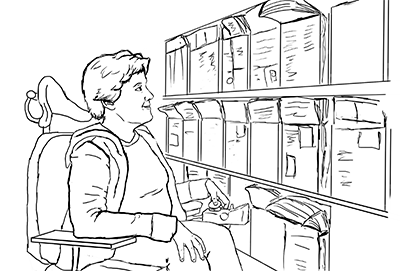
IT has the potential either to level the playing field or to widen the gaps in educational and career attainment between individuals who have disabilities—or are from other minority groups—and members of the majority. The World Wide Web Consortium (W3C), which develops and maintains protocols used on the web to ensure interoperability, is committed to UD. As expressed by its director, “The power of the web is in its universality. Access by everyone regardless of disability is an essential aspect” (Web Accessibility Initiative, n.d.). W3C’s Web Accessible Initiative (WAI) developed Web Content Accessibility Guidelines (WCAG) and checkpoints for the accessible design of websites and other IT; the Guidelines rest on four principles: that IT be
- perceivable,
- operable,
- understandable, and
- robust.
Applications of these principles to the procurement, development and use of all types of IT have demonstrated that it is possible to create products that are simultaneously accessible to people with a wide range of abilities, disabilities, and other characteristics. Many IT companies do not take the full spectrum of user diversity into account when they develop products, unintentionally erecting barriers for people with disabilities and others.
Nevertheless, during their procurement process, institutions can express the desire to purchase accessible IT and inquire about the accessibility features of specific products.
For examples of accessible IT, consult Accessible Technology.
UDL Principles
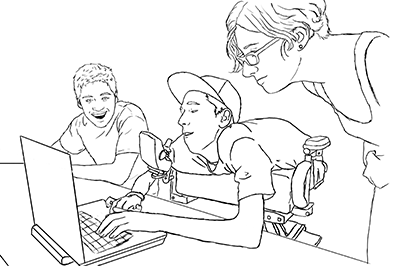
A Universally Designed for Learning (UDL) curriculum in formal and informal settings “reflects an awareness of the unique nature of each learner and the need to address differences” by offering
- Multiple means of representation,
- Multiple means of action and expression, and
- Multiple means of action and engagement (The Center for Applied Special Technology).
CAST focuses its efforts on UDL, especially as it applies to technology-based curriculum. It defines UDL as “a research-based set of principles that together form a practical framework for using technology to maximize learning opportunities for every student.”
UDE Principles
UDE combines UD, UDL and WCAG principles and applies them to all education products and environments, including technology, teaching as learning, services, and physical spaces. UDE ensures access for all and minimizes the need for accommodations.
Unfortunately, IT developer instructors and service providers do not routinely apply comprehensive sets of UDE principles in their design. The following two sections of this document explain how UDE principles can be applied to instruction and services.
UD of Instruction (UDI)
UD, UDL, and WCAG principles form the foundation for universal design of instruction (UDI)—teaching techniques, curricula, assessment IT, and physical spaces. Following guidelines for UDI along with specific applications of UD, UDL and WCAG principles they apply,
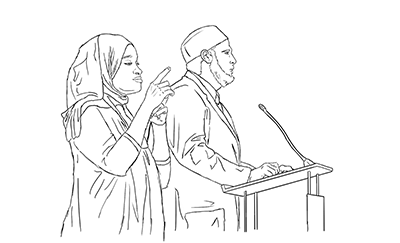
- Class climate. Adopt practices that reflect high values with respect to diversity, equity, and inclusion. Example: Put a statement on your syllabus inviting students to meet with you to discuss disability-related accommodations and other special learning needs. [UD 1, UDL 2]
- Interaction. Encourage regular and effective interactions between students, employ multiple communication, and ensure that communication methods are accessible to all participants. Example: Assign group work for which learners must engage using a variety of skills and roles. [UD 1, 2, 4; UDL 3; WCAG]
- Physical environments and products. For outside instruction, ensure that facilities, activities, materials, and equipment are physically accessible to and usable by all students and that diverse potential student characteristics are addressed in safety considerations. Example: Develop safety procedures for all students, including those who are blind, deaf, or wheelchair users. [UD 3, 4, 6, 7]
- Delivery methods. Use multiple instructional methods that are accessible to all learners. Example: Use multiple modes to deliver content; when possible allow students to choose from multiple options for learning; and motivate and engage students—consider lectures, collaborative learning options, hands-on activities, Internet-based communications, educational software, field work, and so forth. [UD 2–4; UDL 1–3; WCAG]
- Information resources and technology. Ensure that course materials, notes, and other information resources are engaging, flexible, and accessible for all students. Example: Choose printed materials and prepare a syllabus early to allow students the option of beginning to read materials and work on assignments before the course begins. Allow adequate time to arrange for alternate formats, such as books in audio format. [UDL 1; WCAG]
- Feedback and assessment. Regularly assess students’ progress, provide specific feedback on a regular basis using multiple accessible methods and tools, and adjust instruction accordingly. Example: Allow students to turn in parts of large projects for feedback before the final project is due. [UD 5; UDL 2, 3]
- Accommodations. Plan for accommodations for students whose needs are not fully met by the instructional content and practices. Example: Know campus protocols for getting materials in alternate formats, rescheduling classroom locations, and arranging for other accommodations for students with disabilities. [UD 1, 2, 4, 6]
For examples of UDI practices consult the video and publication Equal Access: Universal Design of Instruction.
UD of Student Services
UD can be applied to student services to make them accessible to, usable by, and inclusive of all students. These services include computer labs, libraries, admissions offices, registration, advising, career services, tutoring and learning centers, and student organizations. When UD is applied, everyone feels welcome, is able to get to the facility and maneuver within it, access materials and electronic resources, and participate in events and other activities. Efforts should be made to apply UD, UDL and WCAG principles in all of the following areas.
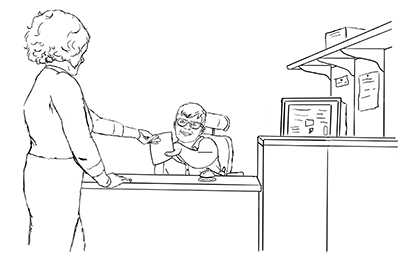
- Planning, Policies, and Evaluation. Consider diversity issues as you plan and evaluate services.
- Physical Environments and Products. Ensure physical access, comfort, and safety within an environment that is welcoming to visitors with a variety of abilities, racial and ethnic backgrounds, genders, and ages.
- Staff. Make sure staff are prepared to work with all students.
- Information Resources and Technology. Ensure that publications and websites welcome a diverse group and content is accessible to everyone.
- Events. Ensure that everyone can participate in events sponsored by the organization.
For details about the UD of student services consult Equal Access: Universal Design of Student Services.
Further Information About UDE
Burgstahler, S. (Ed.) (2020) Creating an Inclusive Learning Opportunities in Higher Education: A Universal Design Toolkit. Cambridge, MA: Harvard Education Press.
Resources
Adaptive Environments Center. (1995). ADA Checklist for Readily Achievable Barrier Removal. Boston: Author.
Equal access: Universal design of instruction. Seattle: University of Washington.
Equal access: Universal design of physical spaces. Seattle: University of Washington.
Equal access: Universal design of student services. Seattle: University of Washington.
Center for Applied Special Technology (CAST).
The Center for Universal Design (1997). North Carolina State University.

The Center for Universal Design in Education.
Web Accessibility Initiative (n.d.). Cambridge, MA: World Wide Web Consortium.
About DO‑IT
DO‑IT (Disabilities, Opportunities, Internetworking, and Technology) serves to increase the successful participation of individuals with disabilities in challenging academic programs and careers such as those in science, engineering, mathematics, and technology. Primary funding for DO‑IT is provided by the National Science Foundation, the State of Washington, and the U.S. Department of Education.
For further information, to be placed on the DO‑IT mailing list, request materials in an alternate format, or to make comments or suggestions about DO-IT publications or web pages, contact:
DO‑IT
University of Washington, Box 354842
Seattle, WA 98195-4842
doit@uw.edu
www.uw.edu/doit/
206-685-DOIT (3648) (voice/TTY)
888-972-DOIT (3648) (toll free voice/TTY)
509-328-9331 (voice/TTY) Spokane
Founder and Director: Sheryl Burgstahler, Ph.D.
Acknowledgment
This publication was developed under a grant from the U.S. Department of Education, #P333A020044 and the National Science Foundation AccessCyberlearning 2.0: NSF #1824540. The contents do not necessarily represent the policy of the U.S. Department of Education, and you should not assume endorsement by the federal government.
Copyright © 2021, 2020, 2019, 2012, 2009, 2007, 2005, University of Washington. Permission is granted to copy these materials for educational, noncommercial purposes provided the source is acknowledged.