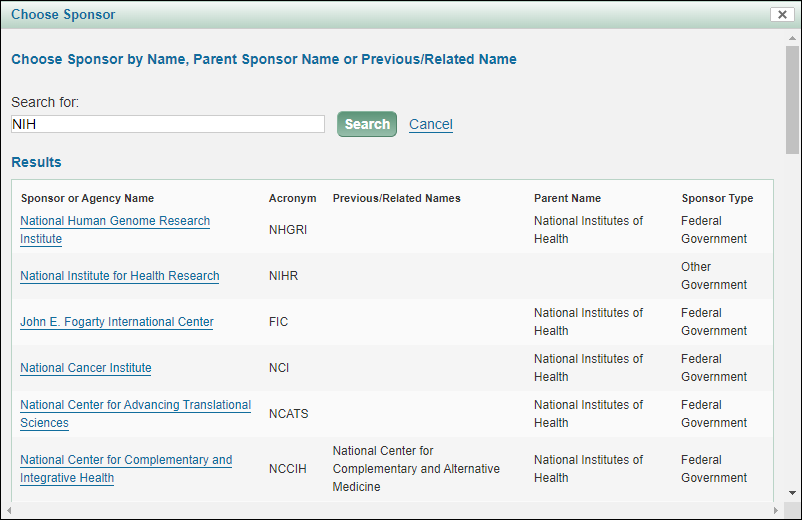
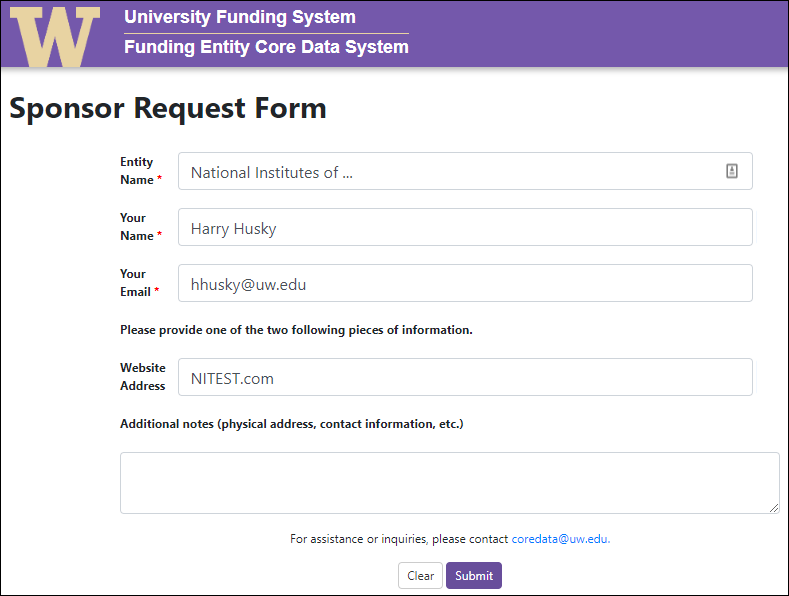
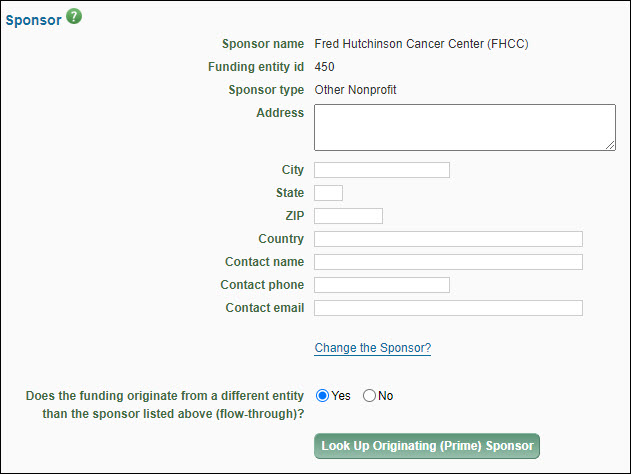
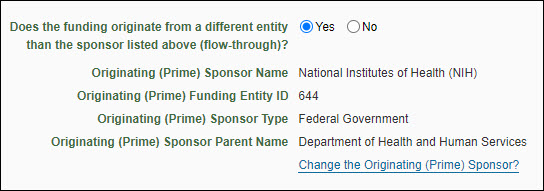
The Application Details section provides basic information for the Office of Sponsored Programs (OSP), Grant & Contract Accounting (GCA), and campus reviewers. The following image shows this section.
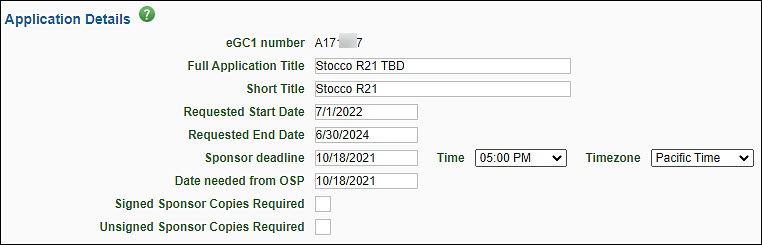
| Field |
Description |
| eGC1 Number |
A unique, system-generated number used to identify an eGC1 and application. It is used in OSP correspondence. |
| Full Application Title |
Enter the complete project title of the application. This title must match the title on the sponsor application. Refer to the sponsor’s instructions for the length permitted. Maximum of 255 characters. |
| Short Title |
Enter a short title (no more than 22 characters, usually assigned by the PI or department) to identify the project within the UW financial system. Upon award, this will form part of the name for the award line(s) in Workday. |
| Requested Start and End Date |
Enter the anticipated beginning and ending dates of the project period. These dates must match the dates on the sponsor application. Specific dates should be used for Royalty Research Fund (RRF) Applications. |
| Sponsor Deadline |
Enter the final date the sponsor will accept the application, including the time of day and the corresponding time zone. OSP recommends routing draft proposals for initial review, so they arrive In OSP at least seven business days ahead of a sponsor deadline. Your unit may have earlier deadlines to meet a GIM 19 deadline. Refer to GIM 19: Internal Deadlines for Proposals to Outside Agencies for more information as well as examples on how to calculate the deadline. Note, OSP disregards this field for After-the-Fact eGC1s which rarely have a sponsor deadline.
Route:
eGC1s with all final administrative elements at least seven business days before the sponsor deadline.
A complete, final proposal and eGC1 marked ‘Ready to Submit’ no later than 5:00 PM Pacific Time, three business days before the sponsor deadline. See: Is my eGC1 ready to Submit?
Build in extra time to prepare and route proposals that need additional approvals, have multiple subrecipients, or complex sponsor technical instructions. See: Why should I route an eGC1 for Contracts & Other Transactions to OSP ASAP?
OSP disregards this field for After the Fact eGC1s. If the sponsor does have a deadline for award acceptance, include an explanation in the Additional Information section (eGC1 Certify Route section). |
| Date Needed from OSP |
OSP recommends you disregard this optional field. OSP reviewers primarily handle eGC1s on a first-in first-out reviewed basis. |
| Signed and Unsigned Sponsor Copies Required |
This field is an artifact of paper proposal submission. Always check the sponsor’s submission method guidelines to determine what is required. If a sponsor does require signed physical copies of the proposal documents, include an explanation in the Additional Information section on the eGC1’s Certify & Route page. |
Application Type
This is used by the system and OSP to classify and organize eGC1 materials. It helps to link related applications to one another (for example, a new application with all its revisions, continuations, and renewals) for improved tracking and reporting.
Note: regardless of application type, if the Sponsored Program Activity Type is “IPA/JPA/Staff Assignment” then the application is non-competing.
Select the appropriate type from the drop-down menu. This is a required field.

Pre-Application
When submitting a preliminary proposal that may lead to a full application. An eGC1 is only required when the pre-application requires authorized official (AO) submission/sign-off or that contains budget details.
New
Use for brand new funded or unfunded applications.
Transfer from Another Institution
When a PI is transferring an existing application or award being transferred from another institution or entity to the UW.
Competing Revision
For a significant change to an existing project that requires application submission and sponsor approval.
Non-Competing Revision
Replacing most or all of previously submitted proposal or to change PI on a proposal after submission but before an award. Review guidance on how to request a change of PI.
Resubmission (Previously Denied)
When reapplying after a prior proposal was not awarded by the sponsor. This is a competing application.
Competing Renewal
When applying to renew a project beyond its original period with a new competitive application. This is a competing application.
Non-Competing Renewal
Do not select this field. It no longer applies to eGC1s. Items that require OSP review on an active award should come to OSP on an Award Modification. Review the FAQ when do I need an eGC1? for more information.
Supplement and Extension
Use to request additional funds and time for an existing award that requires an application process.
Competing Supplement
Competitive application to request supplemental funds to an existing award.
Non-Competing Supplement
Use to request additional funds without a new competition. For example: for an NIH administrative supplement.
Non-Award Agreement
New
Typically used for agreements that support a main (unfunded or funded) UW sponsored program. Example agreement types include:
-
- Confidentiality Agreement
- Data Use Agreement
- Material Transfer Agreement
The following unfunded sponsored programs must also be submitted as a non-award agreement:
-
- Unfunded Collaborative Agreement
- Unfunded Research Agreement
Continuation
Use for amendments to existing, fully executed non-award agreements.
Note: Select Non-Award Agreement (continuation) to extend an existing agreement beyond the initial term.
When you select an NAA type, you will see a prompt that reads “Budget & Fiscal Compliance entries will be cleared. Do you wish to Continue?” This is to remind you that nothing should be entered on the Budget & Fiscal Compliance page. The system will delete any data that was there.
The system will automatically check the After-the-Fact box for an NAA application type.
For guidance on completing an NAA type application, see After-the-FACT (ATF) eGC1 Process.
After the Fact Application
Check this box if the sponsor has already funded this application, or has sent an award letter, or provided an agreement for UW review. An eGC1 is required for all sponsored programs, including after-the-fact.
For more guidance, refer to the After-the-Fact process and the FAQ: What’s the difference between a proposal and an After-the-Fact eGC1?
Note: When you select one of the Non-Award Agreement application types, the system will automatically check the box.
Grant Runner Application Type Mapping
The eGC1 applications types map to SF424 types as follows:
| eGC1 Type |
SF 424 Type |
| Pre-Application, New |
New |
| Transfer, Resubmission |
Resubmission |
| Competing and Non-Competing Revision |
Revision |
| Competing and Non-Competing Renewal |
Renewal |
| Supplemental Extension, Competing and Non-Competing Supplement |
Continuation |
This section provides categorization information about the application.
You must select both a Project Type and a Sponsored Program Activity Type. The following image shows the Project Details section of the application.

If you’re unsure which project type to choose, please consult with the Principal Investigator or the FAQ on How do I know what project type to select on an eGC1 and why is it important?
Project Type
| Project Type |
Description |
Grant
|
The application is for a specific investigator-initiated project with minimal programmatic involvement from the grantor (sponsor). See Glossary entry for details. |
Contract
|
The application’s funding mechanism is a contractual arrangement with specific deliverables and expected outcomes which benefit the sponsor. See Glossary entry for details.
Federal contracts, including federal flow-through contracts: Route draft proposals for initial review to OSP no later than 7 business days before a sponsor deadline. See Why should I route an eGC1 for Contracts & Other Transactions to OSP ASAP? |
Cooperative Agreement
|
The application is for a federal assistance agreement mechanism that has substantial programmatic involvement by the federal agency. See Glossary entry for details. |
Other Transaction Authority (OTA)
|
The application is for a special award mechanism from certain federal agencies that is not a grant contract, or cooperative agreement. See Glossary entry for details.
Route draft OTA proposals (including federal flow-through OTA) for initial review to OSP no later than 7 business days before a sponsor deadline. See Why should I route an eGC1 for Contracts & Other Transactions to OSP ASAP? |
Note: Do not use an eGC1 for processing gifts. Review Distinguishing between a gift, sponsored program, or service activity. You also should review the Gift Processing Guidelines which provide additional information on whether something should be routed through UW Gift Services.
Sponsored Program Activity Type
Select a value from the drop-down menu. It is organized by Institutional Activity Types: Organized Research, Instruction, and Other Sponsored Activity. Review the details on Sponsored Program Activity Types in GIM 13 to accurately select the category. These categories determine which F&A rate applies to your project, impacts which terms and conditions apply to the award, and specific reporting requirements.
| Institutional Activity Types |
Sponsored Program Activity Types |
Organized Research
|
- Research: Basic
- Research: Applied
- Development
- Fellowship: Research Undergraduate
- Fellowship: Research Graduate/Professional
- Other Training: Research
- Clinical Trial: Federal Sponsors
|
Instruction
|
- Training and Development (UW Internal)
- Fellowship: Non-Research Undergraduate
- Fellowship: Non-Research Graduate/Professional
|
|
|
- Professional Development/Public Service (UW External)
- Construction
- Equipment
- Clinical Trial: Non-Federal Sponsors
- Other Sponsored Activity
- IPA/JPA/Staff Assignment
- IPA/JPA/Staff Assignments should be routed as an After-the-Fact eGC1. For Staff Assignments review instructions & guidance for Affiliated & Collaborating Institutions.
|
Clinical Trial Phase
When you select Clinical Trial: Federal Sponsors, or Clinical Trial: Non-Federal Sponsors, you will be prompted with this new drop-down to select the appropriate Clinical Trial Phase. Review the Clinical Research page for definitions of Clinical Trial Phases. This field will display if you select either of the Clinical Trial values for SPA Type. Select the appropriate value. Choices are: I, II, III, IV, and Other.
If your sponsor is the Royalty Research Fund, you will see this section. The fields are required.
Please also refer to the Instructions for Preparing an RRF Proposal for more details on completing an eGC1 for the RRF.

- Research Area
- Select the one area that best classifies the research. If unsure, consider reviewing the RRF Committee Members list and their departmental affiliations.
- The areas are:
-
- Arts or Humanities
- Social or Behavioral Sciences
- Physical Sciences
- Engineering
- Basic Biological or Biomedical Sciences
- Clinical Biomedical Science
- Application for RRF Scholar? (one quarter teaching release)
- Answer Yes or No. If Yes, be sure to document your teaching load in section E of the Description of Research.
For RRF grant applications, the “Dates Requested” should be given standard values based on which round you are applying.
Fall Round
- Begin Date should be January 15 of next year.
- End Date should be one year after the start date.
- Example: for Fall Round 2024, the dates would be 01/15/2025 to 01/15/2026.
Spring Round
- Begin Date should be June 15 of the current year.
- End Date should be one year after the start date.
- Example: for Spring Round 2025, the dates would be 06/15/2025 to 06/15/2026.
Please refer to the Instructions for Preparing an RRF Proposal for more details.
Organization Codes have been replaced with Cost Centers; see Cost Center Receiving Funding article.
The Organization Code Receiving Funding is the UW’s ten-digit code which identifies the department or unit that will receive funding. Ask your fiscal specialist or department administrator which code you should use.
Note: GCA requires the code to be at the department level or below. See the OPB Orgcode and Budget Number Guidelines for an explanation of organization levels.
The following image shows this section before a code is selected.

Enter your organization code number directly on the page or select Look Up Organization Code to use the Organization Chooser.
Once you have selected the organization code, the associated Box number will appear. You can edit the box number if desired. If you need to change the box number associated with the code, use the “Changes To Existing Org Code Form” available from the Office of Planning & Budgeting web page.
You can also use the +/- buttons to expand and collapse the organization code’s hierarchy. The following image shows an expanded hierarchy.

The Change the Organization Code? link will re-display the chooser so that you can select a different code.
The Details page of the eGC1 includes basic information about the proposed research, such as the proposal dates, the Cost Center Receiving Funding, and the sponsor.
If there is an existing application or award related to this eGC1, enter that information in this section.

| Field |
Description |
| Sponsor number at UW |
Enter the complete reference number (existing sponsor award number or previous eGC1 #) if this is a renewal, supplement, or extension application.
Include the year of funding this application represents (for example, you could indicate year 2 of a 5 year project as 2/5). Example: 5 R21 CA002176-02 2/5. |
| UW budget number |
Provide the UW budget number for the currently funded project. |
| Previous eGC1 number(s) |
Enter the previous eGC1 number(s), separated by commas. |