UCAR reservation system changes coming soon
UCAR is transitioning to a new vehicle reservation system between February and May of 2024. Reservations for dates after February 1, 2024 are currently unavailable at some UCAR locations.
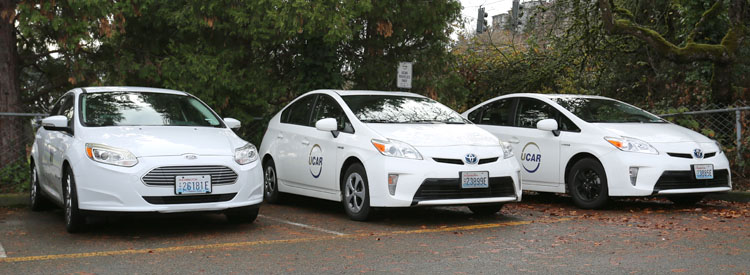
UW Fleet Services offers short-term vehicle rental for official university business. UCAR is a conveniently located and economically priced Fleet Services rental vehicle program available for hourly rentals. Trip tracking occurs automatically and billing is charged directly to a UW payment worktag. A copy of the receipt is sent to the reservation contact and department billing contact via email.
Who can rent a vehicle
Vehicle rental is available to UW faculty, staff and students. Any employee or student may reserve and access a UCAR 24/7 for university business provided they have:
- A driver’s license.
- A payment worktag with authorization to charge to it.
- Completed Fleet Service’s Driver Safety & Awareness Training within the last two years.
All passengers must be eligible riders.
Sign up and request a new UCAR rental
You must sign up for UCAR and be current with your Driver Safety & Awareness Training before requesting a new rental. Check your training status. If you have trouble logging in to the training portal, read the FAQ below about issues logging in for training.
(NetID required.)
If you’re new to UCAR, please review the tips for getting started and frequently asked questions sections below.