Overview
Students and medical residents who are the principal investigator on an IRB application must have a faculty advisor sign off on their project using the Manage Ancillary Review activity in Zipline.
- Faculty advisor review may occur concurrently with HSD or IRB review of an application. However, final IRB approval or an exempt determination will not be issued until the required faculty advisor review is completed.
- Do not add the faculty advisor to the study team on the Zipline application before the faculty advisor has submitted the faculty advisor review. The system will not allow a member of the study team to submit an ancillary review for the study.
- Faculty advisors receive an email notification that they have a review to complete when the student or resident adds the ancillary review to the application and the study is submitted in Zipline.
Steps to Add Faculty Advisor Review
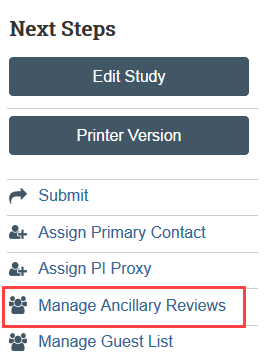
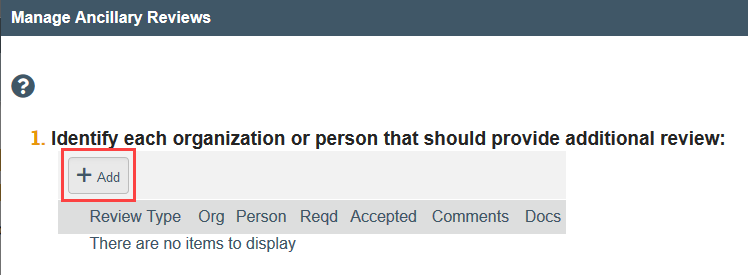
- Click Add
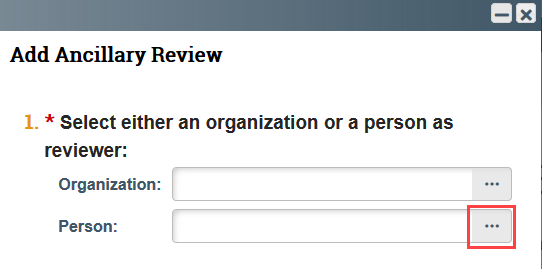
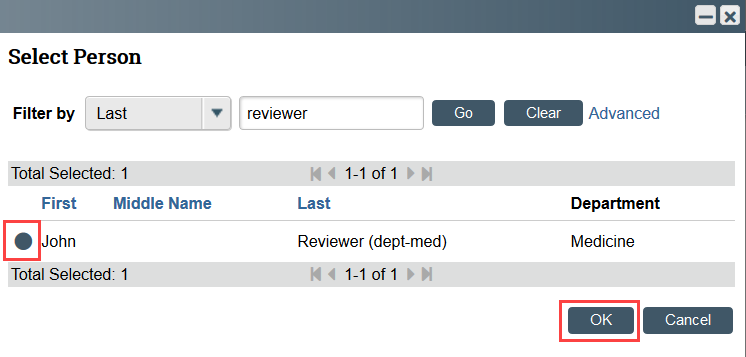
- Click the ellipsis by the Person field
- Use the filters to find your advisor, select the checkbox by your advisor’s name, and click OK
- NOTE: All users must have a Zipline account [1] before they can be added to a study in Zipline. If the person you want to add is not on the list, they must create a Zipline account.
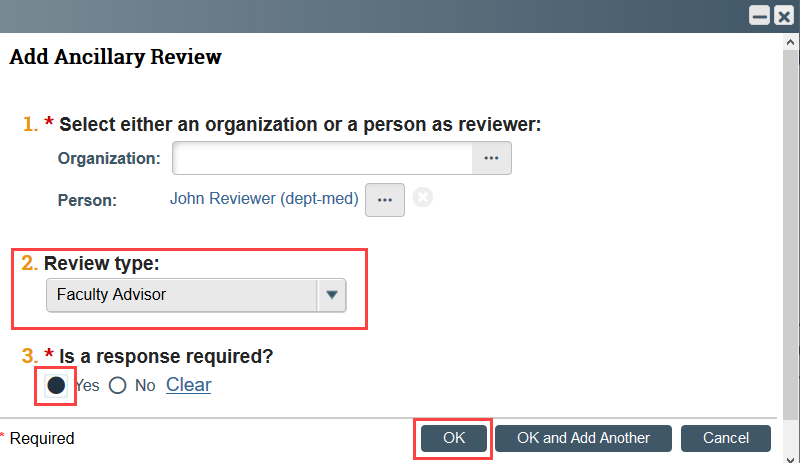
- Select Faculty Advisor as the Review type, indicate that a response is required, and click OK
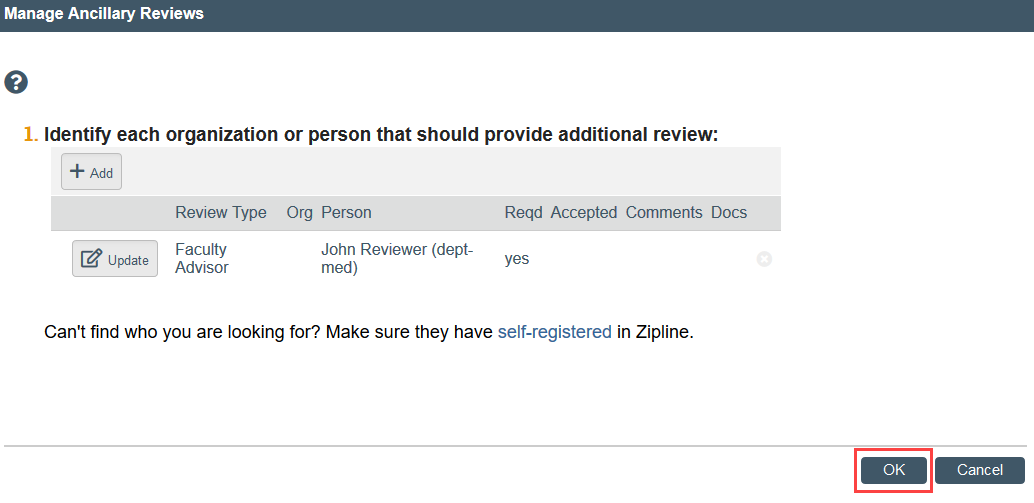
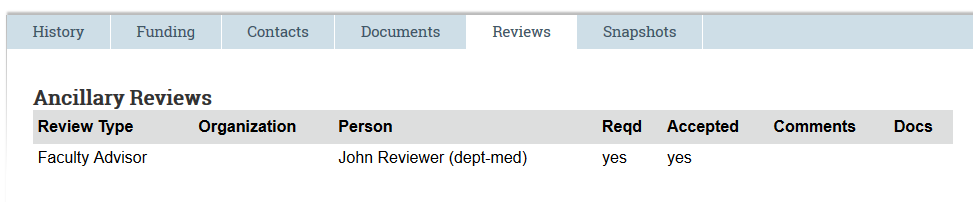
The faculty advisor review is listed in the Reviews tab in Zipline. The accepted column indicates “yes” when the review is completed and the application is accepted by the faculty advisor.