Report a Problem with U-PASS powered by ORCA
If you tap your U-PASS powered by ORCA on an ORCA card reader and you don’t get a happy beep and green light, try again making sure to tap your card on the ORCA logo at the center of the card reader and hold it there for several seconds. Also make sure you separate your Husky Card from any other cards you may have that include RFID technology (e.g. UWMC badge).

If you still do not get a positive response, contact Commuter Services at 221-3701 or ucommute@uw.edu as soon as you are able. Please provide the following:
- Your name and UW ID#
- Name of the transit agency you were taking
- The route number
- Destination
- The time you boarded the bus or train
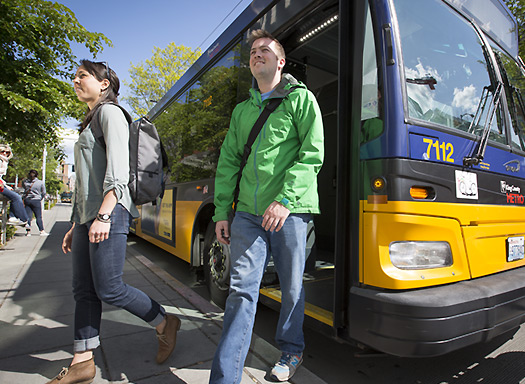
- Bus vehicle number (This is found inside the bus above the bus windshield, as well as on the sides, front and rear of the bus. See pictures below.)
What not to do with your Husky Card
Your Husky Card contains an antenna. If you cut, scratch, bend or punch a hole in the card you will damage the antenna and your card will not function properly.
Learn more about the transition to the U-PASS powered by ORCA here.
Feedback