Student Presentation
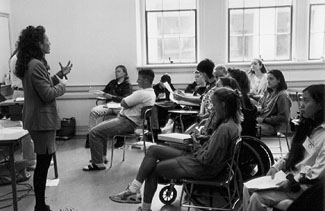
This section provides several presentation options followed by one more detailed outline for delivering presentations on work-based learning opportunities to students with disabilities.
Purpose
Your presentation to students with disabilities may have one or more of the following purposes:
- to learn what work-based learning is
- to understand why it is important to participate in work experiences before graduating from college
- to know their rights and responsibilities as interns with disabilities
- to develop strategies for appropriately disclosing their disabilities and requesting effective accommodations
- to become familiar with adaptive technology that will provide them with access to computers
- to identify key personnel and support-services offices that will be able to assist them on a typical college campus
Length
The following presentation examples are designed to address a wide variety of participant needs.
- Develop a 15-30 minute presentation for a student orientation meeting to give participants an understanding of why participation in work-based learning opportunities is important for students with disabilities and to alert them to who the key players are on a typical college campus. Share the It's Your Career videotape presentation and distribute the handout titled It's Your Career: Work-Based Learning Opportunities for Students with Disabilities.
- Develop a 15-30 minute presentation to give participants a conceptual understanding of what adaptive technology is and how it can help them access computers, the Internet, and other electronic resources. Share the Working Together: People with Disabilities and Computer Technology videotape presentation. Distribute the handouts titled Working Together: People with Disabilities and Computer Technology, and Meet the Speakers in the Videotape -- Working Together: People with Disabilities and Computer Technology.
- Develop a one-hour presentation to describe the concepts of work-based learning and to provide students with tools and strategies for accessing opportunities available through their schools. Show the It's Your Career videotape presentation and distribute the It's Your Career: Work-Based Learning Opportunities for Students with Disabilities handout. Utilize the information in the Strategies section for more details. Select appropriate overhead transparency templates from the Tools section.
- Develop a one-hour presentation to explore how adaptive technology can provide access to computers and help to level the worksite playing field for students with disabilities. Show the Working Together: People with Disabilities and Computer Technology videotape presentation. Distribute the handouts Working Together: People with Disabilities and Computer Technology, and Meet the Speakers in the Videotape -- Working Together: People with Disabilities and Computer Technology. For more detail, utilize the information in the section titled Access to Computing for People with Disabilities and the overhead transparency templates in the Tools section.
- Develop a half-day workshop to encourage students with disabilities to participate in campus work-based learning activities, and to make them aware of how adaptive technology can provide access to computers and careers. Share the It's Your Career and Working Together: People with Disabilities and Computer Technology videotape presentations. Distribute the handouts titled It's Your Career: Work-Based Learning Opportunities for Students with Disabilities, Working Together: People with Disabilities and Computer Technology, and Meet the Speakers in the Videotape -- Working Together: People with Disabilities and Computer Technology. For more details and examples of student experiences, utilize the Strategies, Access to Computing for People with Disabilities, and Tools sections.
Presenters
A Career Counselor, Cooperative Education Coordinator, Disabled Student Services Officer, Adaptive Technology Consultant, or student with a disability could deliver all or part of a presentation. Little experience working with students with disabilities is required to give a short presentation; longer presentations require more specialized expertise.
Preparation
- Secure a site.
- Select presenter(s).
- Set-up registration procedure.
- Photocopy handout templates from the back pouch of this notebook.
- Select overhead transparency templates from the Tools section of this notebook and create transparencies.
- Develop handouts and overheads of local campus and community resources.
- Advertise presentation well in advance.
- Send a presentation reminder to registered participants.
Sample Presentation Outline
The following outline can be tailored to your audience, and can vary from a brief 15-minute overview to a full-day workshop.
Logistics
- Introduce presenter(s).
- Introduce participants.
- Identify accessible restrooms, telephones, and provide site logistics.
- Discuss presentation agenda and schedule.
- Describe and distribute handouts.
Introduction
- Provide background and overview.
- Define work-based learning.
Why Participate in Work-Based Learning Activities?
- Describe how all students benefit from work-based learning.
- Identify benefits specific to students with disabilities.
- Define different types of work-based learning options.
- Show the It's Your Career videotape presentation.
How to Get Involved
- Provide an overview of how to find work-based learning opportunities.
- Identify the key players on a typical college campus.
- Discuss disclosure of disability -- when, where, and how.
- Outline how to determine and request appropriate accommodations.
- Share local school and community resources.
Adaptive Technology
- Discuss the benefits of using technology in academic and career settings.
- Share the Working Together: People with Disabilities and Computer Technology videotape presentation to provide an overview of technology options for individuals with:
- low vision
- blindness
- hearing and speech impairments
- specific learning disabilities
- mobility impairments
- health impairments
- Discuss how to choose appropriate adaptive technology.
- Provide additional resources.
Conclusion
- Summarize the key points of the presentation.
- Provide additional resources.
Equipment and Tools
- VCR and monitor
- Handouts:
- Overhead projector
- Videotape presentations: