Computer Facility Access
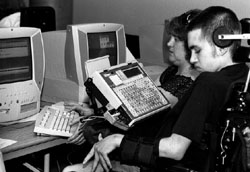
Video Presentation
Handout
As more information is delivered using computer and network technologies, computer labs and workstation clusters play an increasingly important role in ensuring access to electronic information resources for students and employees. In making electronic resources accessible, principles of universal design should be employed.
Typically, organizations design their services and facilities for the average user. "Universal design" means that you design them for people with a broad range of abilities and disabilities. Keep in mind that people using your computer workstations may have learning, visual, speech, hearing, and/or mobility impairments.
- Show Overhead #28
To plan an accessible environment, think in terms of the following access issues: physical environment, adaptive technology, and electronic resources. These areas are addressed in the videotape presentation and handout, each titled Equal Access: Computer Labs. You can use the list of guidelines in the handout as a starting point for surveying your computer facility for accessibility.
- Show Overhead #29
You may find the list of suggestions presented overwhelming as you begin to think about the planning and funding processes involved in implementing all of the suggestions. You may feel that you have to start from scratch and build a whole new computer lab in order to have an accessible facility. However, some of the items have probably already been addressed. With this information, you can develop strategies to begin implementing some of the ideas not already in place. If you cannot take on an expensive project at this time, consider the many low-cost items you can easily accomplish to begin making your computer workstations more accessible.
Physical Environment
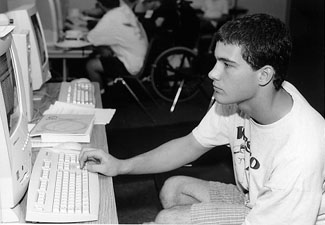
Designing an academic or work area that is accessible to everyone begins with the physical environment of the facility. Ask the following questions in determining how to make your facility more accessible.
- Are doorway openings at least 32 inches wide and are doorway thresholds no higher than 1/2 inch vertically?
- Are aisles kept wide and clear for wheelchair users? Have protruding objects been removed or minimized for the safety of users who are visually impaired?
- Are all levels of the facility connected by an accessible route of travel? If some materials are in inaccessible locations, are there procedures for retrieving these materials for people with mobility impairments?
- Are ramps and/or elevators provided as an alternative to stairs? Do elevators have both auditory and visual signals for designating floors? Are elevator controls marked in large print and Braille or raised letters? Can people seated in wheelchairs easily reach all of the elevator controls?
- Are wheelchair-accessible restrooms with well-marked International signage available in or near the lab?
- Are service desks wheelchair accessible?
- Are there ample high-contrast, large print directional signs throughout the lab? Is equipment marked with large print and/or Braille labels?
- Are hearing protectors, private study rooms, or individual study carrels available for users who are distracted by noise and the movement around them?
- Is at least one table for each type of computer adjustable so that a student or an employee who uses a wheelchair can type comfortably? Can the adjustment controls be reached by the wheelchair user?
- Are wrist rests available for those who require extra wrist support while typing?
- Are document holders available to help position work papers so that they can be easily read?