2. Determine instructional goals and materials.
Before planning the curriculum or developing materials, determine your instructional goals. In the excerpt below, a camper describes her experiences at a camp where the program goals are for young people to learn to use the Internet for information access and communication and develop skills that will help them succeed in college and careers.
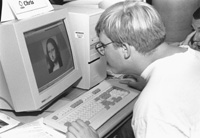
Hello! My name is Tracy. I will be a high school senior this fall in South Dakota. This is my first experience at the DO-IT/Camp Courage Internet and College Prep camp. I learned more about e-mail, discussion groups, gophers, and finding my way around the World Wide Web. This camp gave me an opportunity to meet new people, learn more about college life and employment, and access the wealth of information on the Internet. The staff was friendly and helpful. I hope I will be able to come back next summer.
- Tracy, Camp Courage participant
Maple Lake, Minnesota
Camper Survey
Learning something about your campers is a good place to start. Asking prospective campers about their previous computer and Internet experiences and about their interests will help you plan an entertaining and educational curriculum appropriate for them. A simple survey or a few questions on your camp application form can provide the information you need to determine participants' computer experience. Sample questions are listed on the following page. Write your own or tailor these to suit your particular needs.
Sample of Questions to Survey Campers' Computer Experience
Answer the following questions if you have used a computer.
- Check the response that best reflects how often you use a computer:
____never
____once a month or less
____twice a month
____once or twice a week
____every day
- Check all the places you use a computer:
____at home.
____at school.
____other places. If so, where? ___________________________________________
- Check all of the kinds of things you do on your computer:
____word processing (writing)
____artwork
____educational activities
____games
____electronic mail
____other (specify):
- What software do you use?
- Do you use the Internet? ________________________________________________
If so, from (Check all that apply):
____home.
____school.
____other places. If so, where?
- If you use the Internet, what are some of the things you have done on the Internet?
Program Offering Format
If you discover that your campers spend time playing computer games but have never explored the Internet, you will have to cover some basics. If they already use their computers to develop animated home pages, you can skip some of the basics and explore advanced topics. You will most likely find that you need to develop alternative activities for a diverse group or to offer a program for a select group of campers. For example, you may choose to offer a program for campers with no previous Internet experiences, and make the program goals clear so that only beginners sign up for the Internet activities.
There are many methods for organizing your camp Internet offerings. Open labs, short activity offerings, or comprehensive instruction for a small group may work best for you. Here are three examples of program formats:
- Let all campers on an irregular, drop-in basis choose Internet as a program option. Have available on each computer screen in the lab a Web page of exciting links from which they can choose and explore at their own pace, alone or with a partner.
- Let all campers sign up for specific lab activities (e.g., electronic mail, Web page development, WWW search strategies) and present an Internet lesson and lab activity for the group that shows up for the activity.
- Select a small group of campers or several groups of campers who have signed up for an Internet option and who have similar interests and skills. Have them meet together in the lab every day for a week or more to complete a sequenced Internet curriculum.
Goals and Evaluation
Think about what knowledge and skills you would like the campers to take with them when they leave. Consider how much your campers know already, how much you would like them to learn, their ages and ability levels, and how much time they will spend in the computer lab. Be sure to consider your overall camp goals and the wishes of parents and others associated with your camp as you develop your Internet training goals.
Both during the summer camp and at the conclusion of the camp, collect comments and suggestions from staff, participants, and parents that you can use to improve your program for the next year's activities. Don't forget to write down direct quotes that you can spark interest in future campers in your press releases and publications.
Sample Camp Comment Sheet
Please help us capture the spirit of camp by recording comments you hear about the computer activities made by campers, camp staff, or parents. We may publish comments in our program materials to share our camp's experience with others.
Camp Name______________________________________________________________
Your Name (optional)______________________________________________________
Circle one:
Camper
Camp Staff
Parent
Age _____________ (optional)
Comments:
Sample Program Evaluation Form
Please take a few minutes to answer the questions below. We need your impressions, expertise, and insights to help us develop the best possible program for next time. Return the form in the included envelope, and it will go directly to our project evaluation staff. Thanks.
Your position (circle one):
staff
volunteer
visitor
camper
parent
other_______________
- What do you think went well?
(Definitely include these in the program next time)
- What could we do better?
(Additions and suggestions for improvement)
- Did this program meet the needs of the camp program and campers? Why or why not?
Curriculum
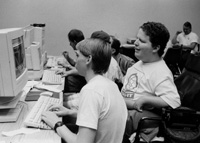
The Internet activities at your camp should show campers how to use technology to access people and information resources. Most of the activities in your Internet program will probably use the World Wide Web (WWW). The WWW is now the most comprehensive and popular tool for organizing Internet resources. To access the Web, use WWW browser software such as Lynx, Microsoft Internet Explorer™, and Netscape Navigator™.
As time permits, teach your campers how to use electronic mail. Electronic mail allows participants to communicate with others. You can use Web services to obtain free electronic mail accounts for your campers. They include HotMail at www.hotmail.com and Eudora Mail at www.eudoramail.com. Many other electronic mail programs exist. They include PINE™, Eudora™, and PegasusMail. Some, like PINE, run on your host computer. Others, like Eudora, run on each personal computer in the lab.
Once campers develop electronic mail skills, you can engage them in interactive activities such as e-mail story building. The instructor starts a story by writing a paragraph. Then they send the paragraph via electronic mail to a camper. This camper adds a paragraph and sends it on to the next camper, and so on. In the end everyone will have contributed to an unpredictable piece of prose. This activity is the Internet equivalent of the story building we used to do around the campfire. You can also teach campers to join and participate in electronic discussion lists. See the Resources section of this notebook for references to on-line lists of discussion lists.
If you offer more comprehensive training sessions, you will be able to explore other Internet tools with your campers, including Telnet and FTP. Telnet is a software tool that allows you to log on to other computers. Telnet is often used to access host computers, community bulletin board systems, and databases. File Transfer Protocol (FTP) is an Internet tool that transfers files between computers; so, if you want to download a game to your computer, FTP can help. More advanced campers can also learn to create their own World Wide Web pages.
Whatever topics you choose to teach, it is best to limit the amount of time you lecture. Develop activities that allow campers plenty of time to practice and explore. Allowing time for exploration promotes self-directed learning, and people of all ages learn better if they discover the answer rather than just hear it. Provide opportunities for creativity and discovery, and you will be pleasantly surprised by the talents of your enterprising campers.
Developing quality materials for any curriculum takes careful thought and planning. You can create a complete notebook with a detailed daily syllabus to hand out at orientation, you can use daily handouts or, once your students are up and running on the Internet, you can e-mail instructions for daily activities. When developing materials keep in mind for whom you are designing them, and focus on your program goals. For example, if you are teaching sixth graders how to use e-mail, the language, activities and examples should be appropriate for that age group. If "audience" and "purpose" are two words that stay in your mind as you work on this part of the project, you will most likely stay on target and create materials that serve everyone well.
Consider developing a Web page with pre-selected links to Web sites of most interest to your campers. Beginners can immediately explore the Web by selecting the choices presented on the screen. Creating a special home page tailored to your campers' interests, abilities, and skills can help guide camper activities and make access to sites efficient. For example, on the next page is part of a home page used in a camp for youth in the State of Washington.
Example: Camp Links Camp Easter Seal
See Camper Links
Below are some sites to consider including on your camp Web page and using to develop specific activities.
- 100 Hot Sites for Kids
- American Camping Association
www.acacamps.org/ - Global SchoolNet Foundation
www.globalschoolnet.org/index.cfm - International Kids' Space
- Kicks for Kids
www.kicksforkids.org/ - Kids' Places
- Kids Web
- Kidsite
- KidWorld
- www.bconnex.net/~kidworld
- Summer Fun
summerfunseattle.org - Technology for Student and School Success | Sourcewell Technology
https://www.sourcewelltech.org/ - Web66: A K-12 World Wide Web Project
web66.coled.umn.edu - WWW4teachers
www.4teachers.org - World Kids Network
www.worldkids.net - Yahooligans!
In the Teaching Strategies section of this notebook you'll find ten sample lessons, roughly ordered from simplest to most difficult. Consult the Resources section of this notebook for references to books and Web sites that can help you decide what to teach and choose references on which to build activities. You can also search for other appropriate sites that address the specific needs and interests of your campers. There are many search tools to choose from, including those at the following URLs:
Campers with more advanced Internet skills can be asked to create a Web page for your Internet camp program. It can include pictures and bios of campers, descriptions of activities, a daily log of activities, and links to Web sites of interest to the campers. For example, at Camp Courage (see Case Study #6) the advanced group formed a "company" named Anything Goes Web Designs. With input from the beginning group they designed a company logo. Then they created a home page with the following options:
- Our Roots
- Week in Review
- Camper Portfolios
- Staff Portfolios
- Photo Gallery
- Related Links
- Thanks and Credits
- Camp Courage Homepage
The pages they developed can be found at depts.washington.edu/doitsum/Courage/computer_camp.html.
Example: Camper-Designed Web Page
Check out their Week in Review section.
Reference Materials
When campers complete assigned activities be sure that they have productive ways to continue exploring the Internet. Include a reference table in the computer lab with Internet books such as those listed in the Resources section of this notebook. Your local book store will provide many ideas for books to include. Also, teach campers to use Internet search tools to find resources of interest to them. Several can be found at the following URLs.
Beyond the Summer Experience
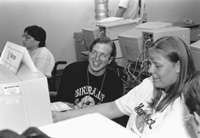
Once your camp session is complete, some of your campers will be able to continue Internet use through their home or school. Consider implementing an electronic discussion list to facilitate communication throughout the year. Include campers, counselors, and camp staff who have Internet accounts.
DO-IT provides an example of how the summer camping experience can be extended year-round by using the Internet. The enclosed handout and video presentation called Opening Doors: Mentoring on the Internet provides details on the mechanics and benefits of supporting year-round mentoring relationships on the Internet. At the end of DO-IT Internet Camp program, campers are encouraged to join DO-IT Pals, an electronic community of teens with disabilities and adult mentors. A DO-IT Pals brochure is distributed to all campers and parents. A copy is included in the front pocket of this notebook. As DO-IT Pals, campers continue to communicate with each other and with DO-IT Mentors. "It's a great way to extend their summer camp experience. These kids can keep up their friendships with the other campers, with the counselors, and with the staff and they meet a lot of other interesting people on the Internet throughout the year," reports Sheryl Burgstahler, Director, DO-IT.